Transparent Lightning Gif
The burgeoning world of digital graphics is abuzz with the term "lightning GIF transparent," a phrase that's become increasingly prevalent in the vast expanse of the internet. But what does it mean, and how can it benefit your online endeavors? Let's delve into this intriguing topic.
In the realm of web graphics, GIFs serve a unique purpose. They're simple, lightweight, and capable of displaying animation, making them an excellent choice for expressing complex concepts with minimal file sizes. However, not all GIFs are created equal. Enter "lightning GIF transparent."
Understanding "Lightning GIF Transparent"
At its core, a "lightning GIF transparent" is a specific type of GIF enhanced with a "transparency" feature. This allows the GIF's background to blend seamlessly with its surroundings, creating a more natural, less intrusive visual experience.


But what's the "lightning" part about? Well, it's not about the speed of these GIFs, but rather the explosive popularity and impact they've had on various online platforms. Let's explore this in more depth.
'arrière-plan transparent
Transparency, in the context of GIFs, refers to the ability to make a GIF's background invisible. This is achieved by using the alpha channel, a component of the GIF format that handles transparency. With it, you can create GIFs that blend elegantly into any webpage or interface, adding visual hierarchy and aesthetic appeal to your content.


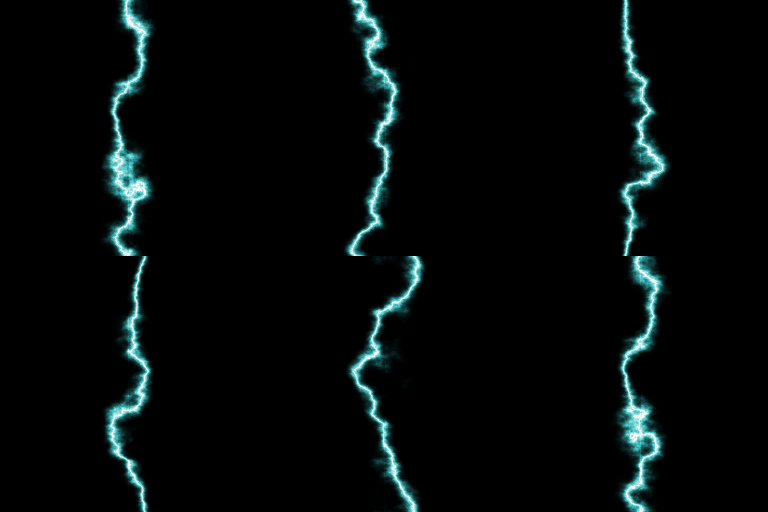
Imagine having a lightning bolt GIF with a transparent background. This allows you to place it over any text, image, or color without the bolt's background obscuring or distracting from the rest of your content. It's like having a storm front moving across your webpage, but without the clashing colors or awkward covering.
Usage and Benefits
"Lightning GIF transparent" isn't just a catchy phrase; it represents a powerful tool in your web design kit. Here are a few ways you can harness its power:
- Seamless Integration: Transparent GIFs allow for superior integration with your website's or graphic's background, maintaining a clean, professional look.
- Attention-Grabbing Visuals: Lightning effects, when combined with transparency, can create eye-catching visuals that captivate users' attention.
- Interactive and Fun: Lightning GIFs, especially when animated and transparent, can add a playful, interactive element to your content.
Now that you understand the essence of "lightning GIF transparent" let's delve into the Pacheco consulate of creating such masterpieces.



Crafting Your Own "Lightning GIF Transparent"
Creating a "lightning GIF transparent" involves a few simple steps, requiring only basic proficiency in graphic design tools like Adobe Photoshop or GIMP.
Begin by creating your lightning bolt design or any other desired shape. Then, isolate it on a transparent layer. Finally, export your creation as a GIF, ensuring the background remains transparent. Presto! You've just crafted your own "lightning GIF transparent."
Optimizing Your GIF
While creating a transparent GIF is easy, optimizing it for web use is equally crucial. This involves reducing the file size without compromising quality. Tools like TinyPNG or Squoosh can help you achieve this by compressing your GIF, ensuring it loads swiftly on any device.


Remember, optimization is not just about file size. It's about creating a harmonious balance between visual quality and loading speed, ultimately enhancing user experience.
Incorporating Your Creation
Once you've created and optimized your "lightning GIF transparent," it's time to incorporate it into your web content. Placement is key here. Consider the GIF's purpose and how it can best serve your content without detracting from its core message.
For instance, use your lightning GIF to highlight calls-to-action, draw attention to specific content, or simply add a touch of dynamism to an otherwise static webpage.
With these strategies, your "lightning GIF transparent" becomes more than just a graphical element; it becomes a potent tool for driving engagement and enhancing user experience.
"Lightning GIF Transparent": A Beacon in the Digital Sea
"Lightning GIF transparent" is not merely a buzzword; it's a testament to the power of creative, optimized graphics in digital communication. More than just a visual flourish, it's a tool that enhances user experience, boosts engagement, and, when used judiciously, can elevate your content above the digital fray.
Embrace the power of "lightning GIF transparent." Let your web content lightning strike, leaving users captivated and eager to explore further. After all, in the vast expanse of the internet, every spark of innovation counts.
Related Articles
Transparent Lightning GIFs for Fast Download
Have you ever found yourself needing a lightning GIF to spruce up a presentation or website, only to be disappointed by the lack of transparency or color...

"Blue Lightning Transparent"
Imagine stepping into a futuristic vehicle, where the skies are no longer the limit. That's the allure of blue lightning transparent: a dynamic, innovative...

Anime Lightning Transparent Background
Searching for stunning anime-inspired images with transparent backgrounds? Look no further! Lightning, or ' Airborne', is a mesmerizing art form that has...

Purple Lightning Transparent PNG
Purple lightning striking against a transparent background: a captivating visual that's as intriguing as it is elusive. This peculiar phenomenon is often...

Power Rangers Lightning Bolt Transparent
The Power Rangers franchise has captivated audiences worldwide with its dazzling array of action-packed TV shows and movies, featuring a vast range of dynamic...
Blue Lightning PNG
Ever wondered how to add a captivating touch to your digital projects? Enter 'blue lightning transparent background,' an exciting tool that breathes new life...