Transparent Lightning GIFs for Fast Download
Have you ever found yourself needing a lightning GIF to spruce up a presentation or website, only to be disappointed by the lack of transparency or color variety? Fear not, for we've compiled a comprehensive guide to help you navigate the world of lightning GIFs, focusing on the transparent and dynamic aspects that make them perfect for your projects.
We'll delve into the creation process, best practices, and explore the utilities of transparent lightning GIFs. Plus, we'll share some tips and tricks to make your lightning GIFs truly sparkle. So, buckle up as we embark on this electrical journey!
Understanding Lighting in GIFs
The beauty of lightning GIFs lies in their ability to capture nature's raw power in a tangible, reusable format. However, not all GIFs are created equal, and achieving that perfect, transparent lightning GIF can be a challenge. Let's begin by understanding the fundamentals.


At their core, GIFs are a series of individual images, or frames, played in sequence to create motion. To create a lightning GIF, you'd typically start with a series of images capturing a bolt of lightning from start to finish. The key to a great GIF is balancing quality and file size to ensure smooth playback and a low load time.
Capturing the Storm
Nailing the perfect lightning shot is essential for a striking GIF. To achieve this, you'll need the right equipment and planning. A quality DSLR camera with a fast lens and a sturdy tripod are your best friends here. Set your camera to manual mode, and dial in a low ISO, wide aperture, and high shutter speed for optimal results.


Once you've captured your lightning sequence, the real fun begins. It's time to isolate the bolt from the background and make it ready for GIF-ification.
Separating Bolt from Background
Using image editing software like Photoshop or GIMP, isolate your lightning bolts using tools such as the Lasso or Magic Wand. With the bolt isolated, you can now manipulate it to your heart's content. Here's where transparency comes into play, and you can experiment with different layer modes and blending options to create the effect you want.
Once you're satisfied with your bolt, it's time to turn those images into a GIF. There are numerous tools available for creating GIFs, both online and desktop-based. We recommend checking out Photoshop's built-in GIF建制 or exploring standalone options like GIF Maker or Ezgif to suit your needs.


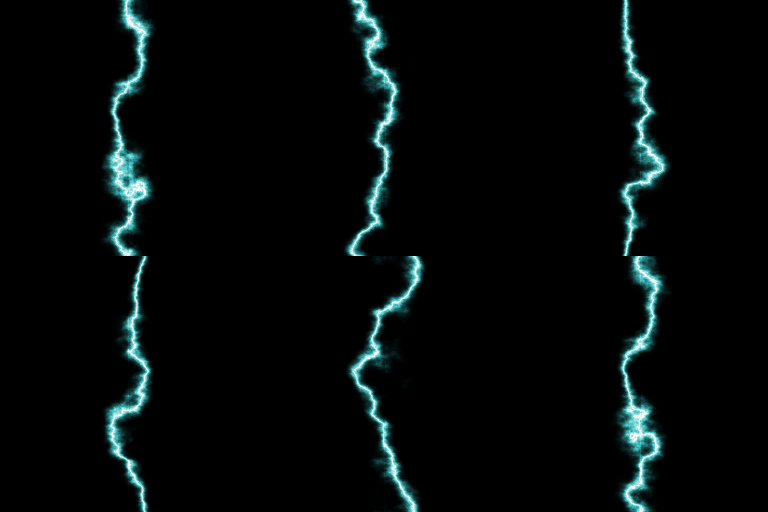
Mastering Transparency
Transparency is the name of the game when it comes to lightning GIFs. A fully opaque bolt may not mesh well with all designs, so let's explore how to create a semi-transparent or subtle bolt that complements your project.
In your editing software, play around with the bolt's layer opacity to achieve the desired level of transparency. Alternatively, you can experiment with layer modes like Multiply, Screen, or Overlay to create unique effects for your GIF.
Creating Semi-transparent Bolts
For a semi-transparent bolt, try combining the original lightning image with a duplicate, desaturated version. Using layer modes, blend these two elements to create a subtle and intriguing bolt that doesn't overwhelm its surroundings.


Another creative solution is to use the liquify tool to distort and stretch the bolt's ends, giving the illusion of a subtle, ethereal bolt that's perfect for more understated designs.
Color-grading Your Lightning
Don't stop at transparency — experiment with different colors and hues to make your lightning GIF truly unique. Using an adjustment layer, tweak the bolt's color to reflect various weather conditions or simply add a stylish touch to your project.
For a more dynamic GIF, consider incorporating multiple colors that change over time. You can do this by duplicating the bolt layer and adjusting the color for each frame in your GIF. This approach can yield stunning results when played in a loop.
Maximizing Your GIF's Potential
Now that you've created a stunning, transparent lightning GIF, it's time to leverage its full potential. Here are some ideas for putting your GIF to good use:
- Website and blog design: Add subtle, looping lightning effects to your site's headers or sidebars for a captivating and dynamic touch.
- Social media graphics: Entice users with eye-catching, thunderous GIFs to promote your latest blog post, product launch, or event.
- Presentation and slideshows: Make your presentations more engaging with lightning GIFs that illustrate dramatic or exciting topics.
- Product demos and tutorials: Use lightning GIFs to highlight key features or areas of interest in your software or service.
Best Practices for Lightning GIFs
To ensure your lightning GIFs shine, follow these best practices:
- animations :: Keep your GIFs short (between 0.5 to 2 seconds per loop) and high in quality (at least 1000px wide) for optimal performance.
- Animations :: Strive for a low file size (under 1MB) to minimize load times and improve user experience.
- Content :: Consider your audience and project when selecting colors and transparency levels. A subtle bolt might be perfect for a corporate site, but a more powerful bolt may be fitting for a dramatic presentation.
- Testing :: Preview your GIFs on various devices and browsers to ensure they display correctly and maintain their intended effect.
Explore the electrifying realm of lightning GIFs, and let your creativity guide you. From semi-transparent bolts to dynamic color changes, the possibilities are endless. So, unleash your inner storm chaser and create truly captivating GIFs that bring your projects to life.
Related Articles
Transparent Lightning Gif
The burgeoning world of digital graphics is abuzz with the term "lightning GIF transparent," a phrase that's become increasingly prevalent in the vast expanse...

Free Thank You PNG Images: Download High-Quality Transparent Gifs
In the digital age, communication has significantly evolved beyond spoken or written words. Images, now an integral part of our language, often speak louder...

Transparent Duane GIFs: Download Now
Discovering the perfect GIF for your project or conversation often requires a specific look and feel. Duane 'Dog' Chapman, the famous reality TV star, has a...

Transparent Speed GIFs for Fast Websites
Ever wanted to add a touch of transparency to your GIFs to make them blend smoothly with your website or app? Finding a way to make GIFs transparent can make a...

Paper Planes PNG Images: Free Download & Transparent Vectors
Paper planes, an iconic staple of childhood creativity and ingenuity, have found a new home in the digital world, with "paper planes PNG" becoming a popular...

Red Kiss PNG - Free Download Transparent Images
Are you on the hunt for the perfect graphic to convey affection? Look no further than the "red kiss png". This iconic image has become synonymous with love and...