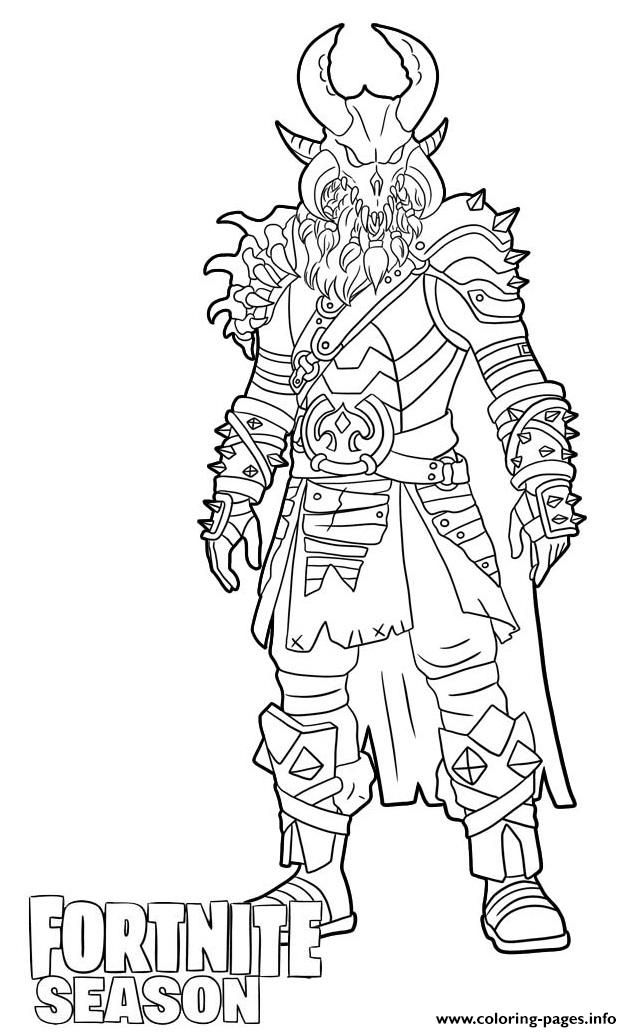
Thanos in Fortnite: Coloring Page & Colored In
Thanos, the Mad Titan from the Marvel Cinematic Universe, has transcended into the world of gaming, specifically in the popular battle royale game, Fortnite. Players have been excited to get their hands on the Thanos skin and his associated glider, back bling, and harvesting tool. While the idea of coloring and painting Thanos in Fortnite is intriguing, it's important to note that the game does not currently support such a feature directly. However, that doesn't mean we can't explore the concept and learn about customization options within Fortnite.
Before delving into the intricacies of personalizing your Thanos skin, let's acknowledge the hype surrounding this crossover event. Epic Games, the developer behind Fortnite, collaborated with Marvel to bring Thanos into the game as part of an Limited Time Mode called 'Infinity Gauntlet'. This mode allowed players to don the powerful PurpleSnapper skin and Gauntlet-like harvesting tool, causing a storm of excitement amongst Marvel and Fortnite fans alike.
Customizing Your Thanos Skin in Fortnite
While you can't color in your Thanos skin directly, Fortnite offers a variety of customization options to make your Mad Titan unique. The game's customization system revolves around applying different colors, decals, and style options to your skins, which, although not explicitly intended for Thanos, can still lead to fascinating results.


For instance, you can use the 'Spray' system to apply different textures and colors onto your Thanos skin, creating a unique design that represents your playstyle or personality. While it might not be as extensive as physically coloring in the character, it does allow for a degree of creativity and personalization.
Applying Sprays onto Thanos
Sprays are stickers or small images that you can apply onto your skin's surfaces. In the case of Thanos, you can place these on almost any part of his skin, including his purple body, the black gloves, or even the Infinity Gauntlet. By strategically applying these sprays, you can create intricate patterns and designs, including colors, that aren't otherwise available in the outfit's default appearance.


You can use the Spray system to turnover Thanos's cast or to mark your territory on the battle royale island. To use sprays, you'll need to unlock them first, either through the Battle Pass or purchases using V-Bucks. Once unlocked, apply them by aiming at your skin with the spray and pressing the corresponding button on your controller or keyboard.
Changing the Styling of Thanos
In addition to sprays, Fortnite allows you to customize Thanos's outfit by changing its style. The style slots are found in the customization screen, and they enable you to apply different colors and textures to various parts of your outfit. For Thanos, this can affect his purple body, the black pauldron, or the Infinity Gauntlet.
Different styles can significantly alter the appearance of your Thanos skin. For example, the 'Purple Snapper' style makes the character's skin a lighter purple hue, while the 'Cosmic' style changes the gauntlet's color. These different styles can be toggled on and off in the Locker menu, allowing you to switch between looks quickly.


Evolving Your Thanos Skin in Fortnite
Aside from direct customization, Fortnite offers another way to change your Thanos skin's appearance - by evolving it. For Thanos, specifically, this involves playing games and filling up a specific bar connected to the skin. As you progress, your Thanos skin will gradually reveal more of its famous purple hue, giving it a more menacing and iconic appearance.
To evolve your Thanos skin, you'll need to complete various challenges and objectives in-game. Each challenge completed fills up a portion of the evolution bar, making the skin more detailed and menacing. The overall effect is a more dramatic and impressive Thanos skin that reflects your in-game achievements.
Thanos Evolution Challenges
The evolution challenges for Thanos are varied and involve different aspects of Fortnite gameplay. Some of these challenges might include dealing damage to players with Thanos's pituitary powers, winning games with the gauntlet, or even completing online matches. Completing these challenges helps you evolve Thanos's skin, making it more unique and personalized to your playstyle.




These challenges can be found in the 'Tarzan & Jane' pack in the 'Lock' menu, which is where you'll also track your progress towards evolving your Thanos skin. Once all challenges are completed, your Thanos will reach its final, most formidable iteration.
In conclusion, while Fortnite doesn't support directly coloring in the Thanos skin, there are numerous customization options available to make your gaming experience truly personalized. From applying sprays and changing styles to evolving the skin through gameplay challenges, there are countless ways to make Thanos your own. So, go ahead, Mad Titan - let your unique presence be known on the battle royale island.
Related Articles
"Thanos Fortnite Coloring Page: Color Your Way to Infinity War"
In the vibrant world of Fortnite, players have been eagerly awaiting the arrival of a certain Marvel villain-turned-hero: Thanos. The infamous Infinity War...
Fortnite Ariel Asolt Coloring Page
Discover the vibrant world of Fortnite through creative coloring with our Ariel Asolt Truper-inspired coloring pages. These printable sheets offer a unique...

Pineapple Coloring Page: Colored In
Imagine the vibrant colors of a tropical sunset, now translate that into the delightful world of printables. That's exactly what a pineapple coloring page...

Hands in Prayer Coloring Page
In the realm of hand gesture art, few positions capture the essence of piety and reflection like the 'hands praying' pose. Coloring this iconic gesture can...

Harry Potter Colored Coloring Page
Immerse yourself in the magical world of Harry Potter by adding vibrant colors to your favorite characters and scenes. Coloring Harry Potter pages is more than...

Pokémon Coloring Pages: Color Your Favorites Today
Discovering an unadulterated, full-color page within your worn-out Pokedex can be a nostalgic treat for any Pokemon enthusiast. Often referred to as a Pokemon...