Snapchat Video Dimensions: Perfect Size for 2022
Snapchat, a popular multimedia messaging app, has grown beyond self-expiring photo and video messages. Understanding the optimal dimensions for Snapchat videos can help users and brands create engaging content, maximizing their reach and impact on the platform. This guide explores the ideal Snapchat video dimensions, their aspect ratios, and tips for recording engaging videos.
Snapchat videos are not confined to a rigid format like its photo counterpart. This flexibility caters to diverse video formats, encouraging users to experiment with various aspect ratios to enhance their storytelling capabilities. But, what are the best Snapchat video dimensions for capturing and sharing moments? Let's delve into the details.
Snapchat Video Dimensions: Key Aspect Ratios
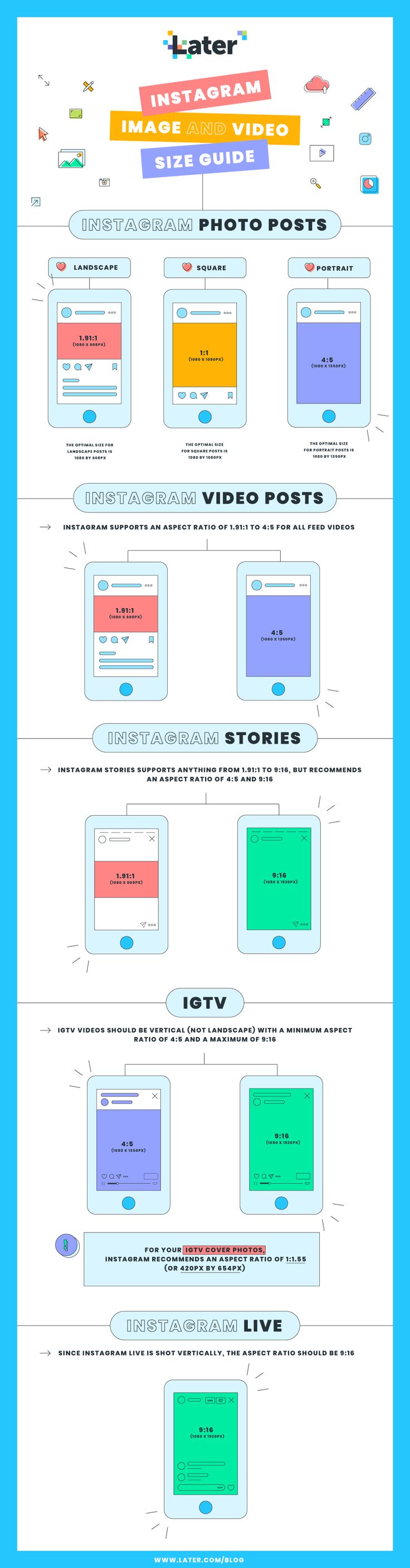
Snapchat supports various video aspect ratios, but the width should always be divisible by 16 for optimal playback. Here are the most common and recommended aspect ratios for Snapchat videos:


Square (1:1)
A 1:1 aspect ratio is ideal for close-up shots, portraits, and still objects. It provides a cinematic feel, emphasizing the content in the center of the frame. The recommended resolution is 1080 × 1080 pixels.
Example: Recording a makeup tutorial or a plate of delicious food.


Portrait (9:16)
This aspect ratio is perfect for point-of-view shots, full-body images, and vertical content. It's increasingly popular due to the growing consumption of content on mobile devices. The recommended resolution is 1080 × 1920 pixels.
Example: Sharing a walk-around tour of your home or documenting your travel journey.
Snapchat's Auto-crop Feature
Snapchat's auto-crop function allows users to record content with a 16:9 aspect ratio, which is commonly used in traditional videography. This feature automatically crops the video to fit the 9:16 or 1:1 aspect ratios during playback, providing additional flexibility when recording.


ții>Example: Recording a landscape or wide enough scene that you want to share in a Snapchat Story.
Recording and Uploading Aspect Ratios
The auto-crop feature also supports recording with a 16:9 aspect ratio and uploading 4:3, 16:9, or 9:16 aspect ratio videos. Keep in mind that Snapchat will resize your video to fit its supported aspect ratios when posting to your Story or sending via chat.
tiles>Example: If you have recorded a video with a none of the recommended Snapchat video dimensions, use a video editing tool to crop it to the desired aspect ratio before uploading.


Maximizing Engagement with Snapchat Videos
Understanding the optimal Snapchat video dimensions is just the first step in creating captivating content. To maximize engagement, consider the following tips:
Content Quality
Shoot in the highest quality possible within the recommended aspect ratios. Use natural light, stabilize your camera, and keep the focus sharp for clear, engaging videos.
lices>Example: No one wants to watch a blurry, low-quality video. Bever, invest in a decent camera or smartphone for recording in high quality.
Storytelling
Plan and structure your videos to tell a story. Organize your content into logical segments, keeping each Snapchat less than 10 seconds to maintain viewer engagement.
ond>Example: Divide a long video into shorter Snaps, adding text, drawings, or emojis to enhance your narrative.
Mastering Snapchat video dimensions and aspect ratios empowers users to create captivating, engaging content that resonates with their audience. By experimenting with different formats and embellishing your videos with unique storytelling techniques, you'll maximize your impact on the platform. Now, grab your camera, and start Snapping!
Related Articles

Snapchat Video Dimensions 9:16: Secrets Revealed
When it comes to creating engaging visual content, knowing the right dimensions for your videos is paramount. Snapchat, a popular social media platform, has...

Tumblr Header Size: Perfect Dimensions for Stylish Blogs
Got a Tumblr account and looking to spruce up your dashboard with a striking header? You've come to the right place. We're about to delve into the world of...

Discord Logo Size: Perfect Dimensions for Every Use
When it comes to creating or customizing your Discord server, including a clear and eye-catching logo is crucial for brand recognition and user appeal...

Minecraft Icon Size: Perfect Dimensions for HD & Mobile
Minecraft, the sandbox video game developed by Mojang Studios, has become a phenomenon, and its imagery is recognized worldwide. One crucial aspect of its...

Poster Standard Size in CM: Find Perfect Dimensions
The world of design and printing revolves around standards, and posters are no exception. Understanding poster standard size in centimeters can save you time...

Google Post Image Size: Perfect Dimensions for Every Format
In the ever-evolving digital landscape, optimizing images for theAlex internet is crucial, especially when it comes to Google. If you're using images on Google...