Merge Pages to Image: Bulk Printing Tip
In the digital age, it's common to need to print multiple pages and combine them into a single image for various reasons, such as creating a poster, a multipage document, or preserving a lengthy article. This process, often referred to as stitching or overlapping, can be achieved using simple tools found in your operating system or with specific software.
Let's explore the methods to print multiple pages and create one continuous image, covering both manual and automated approaches.
Manual Methods: Using Your Printer's Software
Many modern printers come with their own software that allows you to manipulate print settings. One of these settings is often the ability to print multiple pages on one sheet of paper.


Here's a simple step-by-step guide using a common printer software:
Nemerah Printer Software
1. Open the Nemerah Printer Software on your computer.


2. Select the documents you want to print from the software interface.
3. Navigate to the advanced print settings, usually denoted with a gear icon or 'Properties'.
4. Look for an option labeled 'Multiple Pages per Sheet' or 'Page Scaling'.


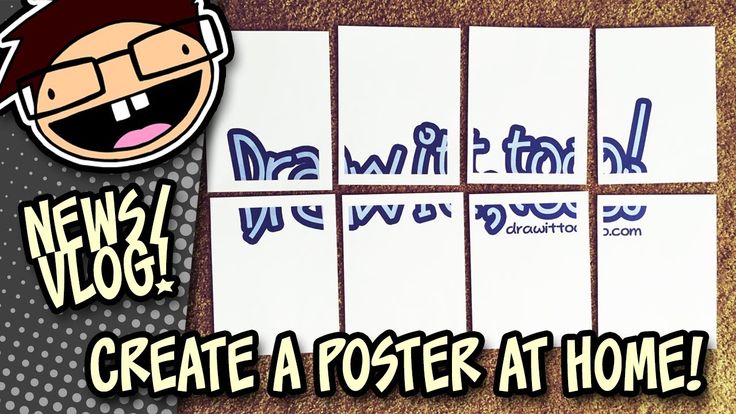


5. Select the desired layout, such as '2 Pages per Sheet' or '4 Pages per Sheet', and choose 'Landscape' orientation for better fit.
6. Print your document, and you'll receive a single sheet with multiple pages printed on it.
Brother Printer Software
1. Open the Brother Printer Software and select your document.


2. Right-click on the document and select 'Properties' or 'Settings'.
3. Under the 'Layout' or 'Paper Handling' section, look for 'Multiple Pages per Sheet'.
4. Choose the desired number of pages per sheet and orientation.
5. Click 'OK' and proceed with printing.
Automated Methods: Using Third-Party Software
For more customization and advanced features, consider using third-party software specifically designed for printing multiple pages into one image.
One such software is PDFtk, a powerful open-source tool that allows users to manipulate PDF files, including creating a single image from multiple pages.
Using PDFtk Server
1. Install PDFtk Server on your computer or use the online version at pdfuntime.com.
2. Upload your documents to the PDFtk interface.
3. Select the ' pamphlet' option, which will create a single PDF from multiple pages.
4. Choose the desired number of pages per sheet and orientation.
5. Download the generated PDF and print it using your preferred print settings.
Using Other Software: Adobe Acrobat
Adobe Acrobat DC also offers features to combine multiple pages into one image. Here's a brief guide:
1. Open Adobe Acrobat DC and create a new PDF.
2. Click 'Create' and select 'Combine Files into a Single PDF'.
3. Add the files you want to combine and choose 'Combine Files'.
4. Select 'Page Sizes & Orientations' and click 'Edit'.
5. Under 'Page Layout', choose 'Custom Scale' and enter the desired page width and height. Select 'Landscape' if necessary.
6. Click 'OK' and then 'Save'. Print the combined PDF using your preferred print settings.
Mastering the art of printing multiple pages to create a single image can save you time and paper, making your printing jobs more efficient. Whether you're using your printer's software or dedicated third-party tools, these methods ensure you get the most out of your printing tasks.
Related Articles

Print Large Images Across Multiple Gimp Pages
The power of Gimp, a free and open-source image editor, extends beyond photo manipulation to also provide robust features for printing images across multiple...

Image Blender: Merge Two Images Seamlessly
In the ever-evolving landscape of digital art and design, the ability to blend images seamlessly has become a sought-after skill. Image blending, also known as...

Dog Printing: Create Custom Coloring Pages
Capture the unique spirit of your furry companion with printing dog cage ring pictures. This creative technique allows you to preserve precious moments and...

Instagram: Can't Post Multiple Images?
Ever found yourself scratching your head as you try to post multiple images on Instagram, only to have the app refuse to cooperate? You're not alone. Despite...

Merge Multiple Audio Files into One on Android
Looking to merge multiple audio files into a single track on your Android device? You're in the right place. In this guide, we'll explore simple and efficient...

One Video Multiple Aspect Ratios: Make Your Content Perfectly Adaptable
In today's digital landscape, video content is king. But just as viewers come in different shapes and sizes, so do their screens. This is where understanding...