Pokémon Emoji Discord Server: Unleash Your Fandom
In the dynamic world of digital communication, emojis have become a universal language, transcending cultural and linguistic barriers. Discord, the popular communication platform, has fully embraced this trend, offering a wide range of emojis, including those from the beloved Pokémon franchise.
Pokémon, with its rich history and diverse roster of characters, has captivated audiences worldwide. Discord, understanding the popularity of these iconic creatures, has integrated Pokémon emojis into its platform, allowing users to enjoy these characters while interacting in servers.
Unveiling Pokémon Emojis on Discord
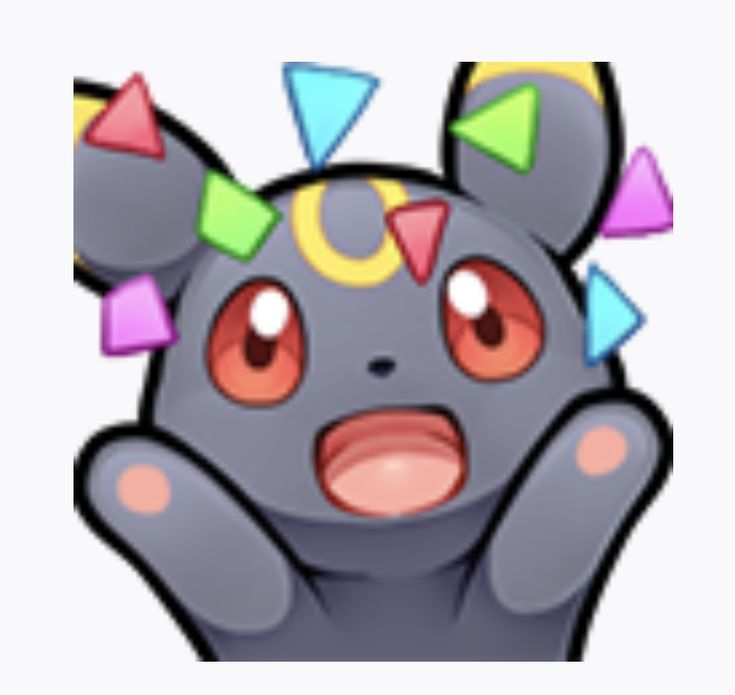
Discord's Pokémon emojis are designed to mimic the official emojis from the Pokémon franchise. They include a variety of Pokémon, from popular ones like Pikachu and Eevee to legendary creatures like Mew and Arceus.


These emojis can be used to express emotions, represent characters in a chat, or simply show enthusiasm for the Pokémon franchise. They can be found in the emoji picker on Discord, either by searching for the specific Pokémon or scrolling through the Pokémon category.
How to Use Pokémon Emojis on Discord
Using Pokémon emojis on Discord is straightforward. Once you've located the emoji in the emoji picker, simply click on it to insert it into your message. You can also right-click on the emoji and select "Copy" to paste it elsewhere.


Remember, not every server may have these emojis available. Some servers may have unique emojis that are only accessible to their members. In such cases, you might not see the Pokémon emojis in the picker. However, you can still share Pokémon emojis by copying and pasting them from another source, like this article, as long as they're not trademarked or protected by copyright.
Pokémon Emojis and Server Customization
Server owners can also create their own Pokémon emojis or use custom Pokémon emojis in their servers. Custom emojis can be created on the server settings page and are only accessible to the members of that server. This feature allows for a unique and personalized emoji experience.
Using custom Pokémon emojis can enhance server engagement and personalized communication. However, it's important to ensure that these emojis comply with Discord's community guidelines and do not infringe on any copyrights or trademarks.


Exploring Other Emoji Categories on Discord
Besides Pokémon, Discord offers a plethora of other emoji categories, including animals, food and drink, activities, and travel, among many others. These categories cater to a wide range of interests, making communication on Discord fun, engaging, and expressive.
Each category has a variety of emojis that can be used in messages. Using these emojis can help convey complex emotions or ideas quickly. They also add a touch of playfulness and creativity to conversations.
Searching and Browsing Emojis
Discord's emoji picker makes it easy to find and use emojis. The search bar at the top of the picker allows you to find specific emojis quickly. You can also browse through the categories to discover new emojis.




Each emoji in the picker shows its name when you hover over it, making it easy to remember and reuse. You can also add your favorite emojis to a "Frequently Used" category for quick access.
Emojis aren't just a fun addition to discord; they're a powerful tool that enhances communication and expression. Whether you're a Pokémon master or a fan of other emoji categories, there's always something new to discover in the world of Discord emojis. So, keep exploring, keep communicating, and most importantly, have fun!
Related Articles

BTS Discord Emojis: Unleash Your Fandom
If you're a BTS fan, there's a high chance you're familiar with their influence on popular culture, especially in the digital sphere. One notable aspect is...

Cat Discord Emojis: Unleash Your Inner Whiskers
If you're a cat lover who also happens to be a digital enthusiast, you might have found yourself wondering about the intersection of these two interests: cats...

Discord Anime Emojis: Unleash Your Fandom
Step into the vibrant world of anime and you're bound to encounter its unique language of emojis, aomena—anime emojis, beloved by fans worldwide. These digital...

Anime Emoji Pack: Unleash Your Fandom
Emojis have become an integral part of digital communication, bridging the gap between words and emotions. Anime fans, especially, have embraced emojis as a...

Danganronpa Discord Emojis: Unleash Your Fandom
If you're a fan of the Danganronpa series and spend time on Discord, you're probably always on the lookout for ways to enhance your server or community with...

Duel Links Emoji Guide: Unleash Your GIFs!
The evolution of digital communication has brought us a wealth of tools to express ourselves, but perhaps none as universally understood and used as emojis...