Invert Image Colors Instantly
In the realm of digital imagery, the ability to manipulate visuals to suit our needs is a sought-after skill. One such technique, 'inverting the colors of an image,' can transform a vibrant scene into a somber monochrome, or vice versa. This can be particularly useful in design, photography, and even data visualization.
This process, also known as negative image creation, inverts the color and brightness of an image. Black becomes white, white becomes black, and all the colors in between shift oppositely. Interestingly, this technique has been used in art and photography for decades, with notable examples including Picasso's 'La pře Jersey' and Man Ray's 'Noir et Blanc.'
Understanding Color Inversion
Color inversion is premised on the concept of complementary colors. Complementary colors are pairs of colors that, when combined, form a specific color. For instance, blue and orange are complementary; when mixed, they create white. This concept is the basis of color inversion, where unreal colors (colors that don't exist in nature) are created.


When you invert an image, the software disintegrates the colorful pixels into their basic red, green, and blue (RGB) components. It then manipulates these components to create their complementary colors, invariably inverting the image's color scheme.
How to Invert Colors in Photoshop
Adobe Photoshop, a go-to software for image editing, offers a straightforward process for color inversion:


1. Open your image in Photoshop (File > Open).
2. Click on Image in the menu bar.
3. Select Adjustments > Invert.
4. Or you can use the keyboard shortcut, Ctrl + I (Windows) or Command + I (Mac).
Color Inversion with Online Tools
If you're not inclined to use Photoshop, numerous free online tools offer the same functionality. For instance:
- Loader.io: Drag and drop your image, and it will automatically invert it.
- Iшканя: This tool allows you to invert an image, adjust brightness and contrast, and even convert it to grayscale.


Creative Applications of Color Inversion
Color inversion can be applied creatively, not just for artistic appeal but also for functional purposes:
- Data visualization: Inverted colors can help draw attention to specific data points or trends.
- Movie captioning: Invert the colors of your movie scenes to create engaging captions.
- Wallpapers and graphics: inverter color tools for creating stunning wallpapers and graphics.
Color Inversion in Social Media
Color inversion also plays a significant role in social media. For instance, Instagram's monochrome filters are essentially color inversion tools.
Some platforms, like Instagram Stories, apply an inverted color effect when users type text on an image that's already dominated by the color of the text. This promotes readability and ensures the text contrasts sharply against the image.


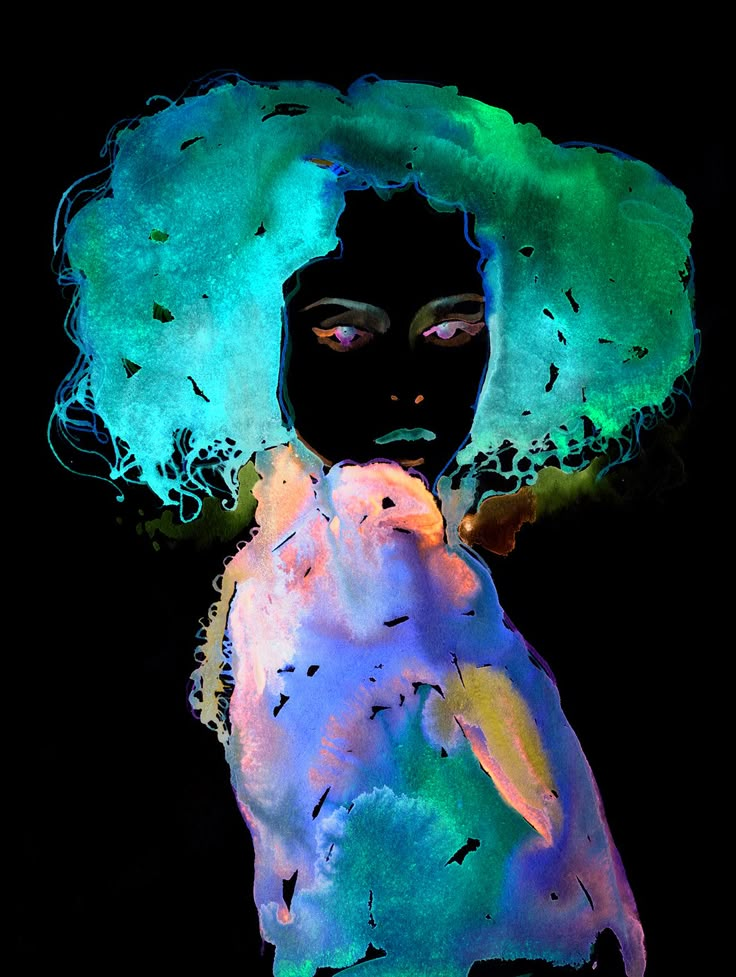

As you've seen, color inversion is a simple yet powerful tool for image editing. It can be employed for creative, professional, or everyday purposes. The next time you're playing with your image, why not try inverting its colors and watch it transform before your eyes?
Related Articles
Invert Image Colors: Easy Color Flip
Ever found yourself wanting to give an image a unique touch, a standout appearance among the rest? One of the simplest yet most impactful ways to achieve this...
Invert Image Colors Instantly
Ever found yourself wishing you could quickly flip the colors of an image? Perhaps to create a striking contrast, accentuate certain elements, or simply add a...
Invert Image Colors Instantly
Ever looked at an image and thought, "This would be perfect if only the colors were inverted"? Well, you're not alone. Inverting colors on an image can create...
Invert Image Colors Instantly: Easy & Fast Methods
Ever found yourself poring over a stunning image, wishing you could see its colors in reverse? Or perhaps you're a designer or photographer looking to add a...
Invert Image Colors Instantly
The process of inverting colors in an image can be quite useful in various scenarios, such as creating bold contrasts, making text more legible, or adding a...

Invert Colors Instantly with GIMP
Often, designers come across instances where they want to invert colors in an image. Imagine enhancing the contrast of a photograph or creating a unique visual...