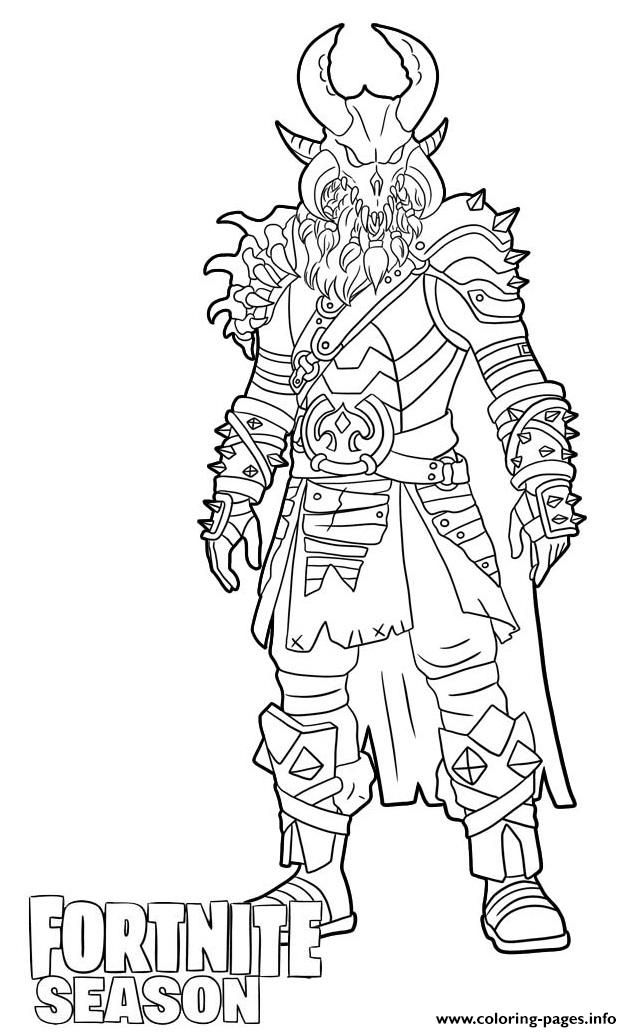
Fortnite Para Dibujar
Unleash your creativity on Fortnite with the game's drawing feature, designed to let you express yourself in the midst of the battle royale action. This guide will explore Fortnite's drawing tools, how to use them, and some creative ideas to get you started.
In Fortnite, drawing isn't just about personalizing your gameplay experience; it's also a tool for communication and strategy. Whether you're marking enemy positions, coordinating with your squad, or simply letting your artistic side loose, Fortnite's drawing tools have you covered.
Understanding Fortnite's Drawing Tools
الشديدونProto is Fortnite's built-in drawing tool, found in the Item Inventory menu. It comes with a variety of pen types, colors, and line thicknesses to cater to different drawing needs.


To access للgesehen Proto, press the 'Start' button (console), 'Esc' (PC), or the ' Options' button (mobile) to open the Item Inventory. Under the 'Creative' tab, you'll find quam Proto, ready for use.
Pen Types and Colors
Fortnite offers three pen types - Free, Line, and Rectangle. Free allows for freehand drawing, Line lets you draw straight lines, and Rectangle helps create perfect squares and rectangles.


As for colors, Fortnite provides a wide palette, including standard colors like red, blue, and green, as well as customizable colors. You can change the hue, saturation, and lightness of any Fortnite color to create your perfect shade.
Line Thickness and Opacity
Fortnite's drawing tools also allow you to adjust the thickness of your lines and the opacity of your colors. Thicker lines and more opaque colors can help your drawings stand out, especially in busy gameplay scenes.
To change the line thickness, scroll the mouse wheel (PC) or use the left joystick (console, mobile). To adjust opacity, press and hold the 'Left Alt' key (PC) or the 'Left Stick' button (console, mobile) while drawing.


Drawing for Strategy and Communication
Drawing can be a powerful tool for strategy and communication in Fortnite. Instead of using voice chat to describe enemy positions or calling out loot locations, you can draw it out for your squad to see.
Marking enemy positions with a quick sketch is not only faster but also helps your teammates visualize the threat. Similarly, drawing around loot or high-ground spots can help your squad coordinate movements and decide where to land.
Signaling Danger
Drawing to signal danger can be especially useful in Duo or Squads modes. A quick sketch of an enemy's location can help your teammates stay alert and avoid confrontations they're not ready for.



Draw large, clear symbols to represent different types of enemies - Sis armed with shotguns, Scouts using snipers, Agitators with explosives, and so on. You can also use Fill Mode to create filled shapes, like circles or triangles, to indicate enemy locations.
Marking Loot and High Ground
When you find valuable loot or a strategic vantage point, draw around it to signal your teammates. This can help your squad avoid friendly fire incidents and make better use of available resources.
Use different colors to distinguish between loot types - for example, red for weapons, green for healing items, and blue for traps. You can also use different shapes to represent different types of items or structures.
Creative Freestyle Drawing
Once you've mastered the basics of strategic drawing, let your imagination run wild. Fortnite's islands provide plenty of canvas for your creations, and with the game's limited brush tool options, the possibilities are endless.
Experiment with different pen types, colors, and line thicknesses to create unique artwork. You can also use the Free brush mode to write messages or draw detailed images.
In-Game Murals
Create stunning murals on the sides of buildings, on the ground, or even in the sky. Use the Fill Mode to color in large areas quickly and efficiently. Then, switch to the Free or Line brush to add details and textures.
Some great mural ideas include landscapes, abstract designs, or even replicas of famous artworks. You can even collaborate with your teammates to create something truly epic!
Drawing Structures and Shapes
Use Fortnite's building mechanics in conjunction with the drawing tools to create complex structures and shapes. Build a foundation, then switch to the Rectangle or Line brush to draw guidelines for your design.
Once you have your design laid out, switch back to the Free brush and fill in the shapes. You can also use the 'Roof' function to automatically create slanted roofs for your structures.
So go ahead, draw, create, and strategize your way to victory in Fortnite! The island is your canvas, and the possibilities are endless. Happy drawing!
Related Articles
Fortnite Drawing Tutorials: Learn to Draw Epic Characters & Scenes
If you're a fan of Fortnite and have an artistic flair, you might be interested in learning how to draw Fortnite characters and elements. Dibujos de Fortnite...

Mastering Renos Para Dibujar: Free Tutorial
Introducción a Renos Para Dibujar: Descubrereiber al artista que llevas dentro ¿Te fascinan los dibujos y te preguntas cómo mejorar tus habilidades para crear...

Carros para Dibujar
Imagining a car shaped like a pencil drawing might seem like a whimsical fantasy, but with "carros para dibujar," it's a delightful reality. These aren't your...

Dibuja Hielo: Tutoriales de Frozen para Niños
"Frozen para dibujar," a Spanish phrase that translates to "drawing without seeing," is an exciting and innovative technique in the art world. This process...

Aprende a Dibujar a Thanos: Tutoriales para Fans de Marvel
Ever dreamt of bringing your favorite Marvel character, Thanos, to life on paper? You're not alone. His distinctive appearance and powerful presence make him a...

Spiderman Dibujo Paso a Paso
Spider-Man, the iconic web-slinging superhero, has captivated audiences since his creation in 1962, inspiring countless works of art, including drawings and...