"Transparent Book Image: See Through Your Story"
Ever encountered an image that's so transparent, it's almost invisible? This phenomenon, often seen in book illustrations or graphic designs, is achieved through a technique called "transparency." In the digital realm, making an image transparent is a common practice, especially in web and application development. Today, we're delving into the world of book transparent images, exploring what they are, how they're created, and their applications.
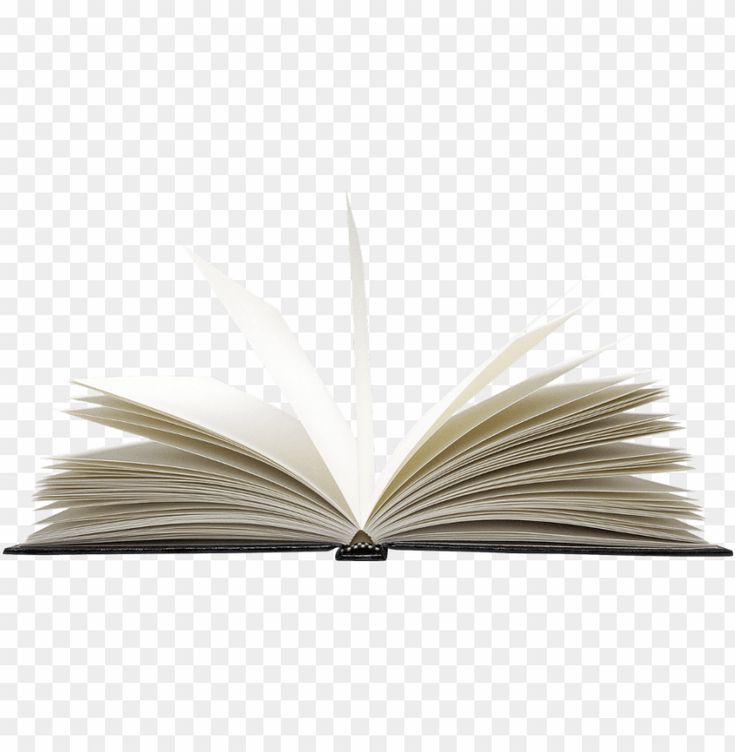
In essence, a book transparent image is a visual element with variable opacity, allowing the background to show through. These images are integral in creating layered, interactive, and visually engaging content. But how does one create a transparent image, especially for book illustrations?
Creating Transparent Images
The process of creating a transparent image involves manipulating the image's alpha channel, which determines its opacity. This is a common practice in graphic design software like Adobe Photoshop or Illustrator, and even in basic image editing tools like GIMP.


Most graphic design software offers an option to change an image's opacity, either by using a slider or a specific mode (like 'screen' or 'multiply'). This allows the image to retain its colors while appearing more or less transparent.
Using Image Editing Software
Software like Photoshop provides a wide range of tools to create transparent images. Here's a simplified step-by-step process:


1. Open your image in Photoshop.
2. Select the area you want to make transparent.
3. Right-click on the selection and choose 'Make Selection Inverse'.
4. Press the 'Delete' key to remove the selected area, making it transparent.
5. Save the file in a suitable format like PNG, which supports transparency.
Creating Transparent Images in CSS
In web development, transparency is achieved using CSS. The 'opacity' property in CSS determines the transparency of an element. A value between 0.0 (completely transparent) and 1.0 (fully opaque) can be specified.
For example, to make an image 50% transparent:
img { opacity: 0.5; }


Applications of Transparent Book Images
Transparent images are vital in various mediums, including books. Here are a few ways they're used:
1. **Layered Illustrations**: In children's books or graphic novels, transparent images allow artists to create dynamic, layered illustrations that engage readers. Overlapping images create a sense of depth and provide visual interest.
Book Cover Design
Transparent images can be used to create striking, modern book covers. They can reveal underlying textures or colors, creating a unique and eye-catching design.




Interactive Books and Apps
In digital books or apps, transparent images allow for interactive elements. For instance, readers can 'peel back' layers to reveal hidden information or animations.
In the realm of book illustration and design, transparency opens up a world of creative possibilities. It's a powerful tool that designers can wield to craft captivating, engaging, and unique visual experiences for readers. Next time you pick up a book, take a moment to appreciate the ingenuity behind the images - you might just spot some clever use of transparency!
Related Articles
Transparent Book Image
A book transparent image refers to an image that when placed on top of text, does not obscure the underlying content. Instead, it maintains a certain level of...

Transparent Onion Images: See Through Visual Effects
In the digital age, images are not just static visuals; they are integral elements of web design and user experience. One fascinating aspect of modern imaging...

Transparent Astronaut Image: Ready for Your Projects
Imagine an astronaut floating in the vast expanse of space, their form unmistakable yet incredibly distinct from the classical portrayal. Instead of the...

"Visualizing Your Story: The definitive guide to plot image and line techniques"
In the realm of graphic design and digital art, two fundamental elements that form the backbone of any visual composition are images and lines. While images...

Best Romance Book Cover Designers: Enchant Your Love Story
The allure of a captivating romance novel often begins with its cover, enticing potential readers with a visual promise of escapism and emotion. Romance book...

Transparent Minecraft Trees: See Through, Not Through Your Budget
In the vast, blocky universe of Minecraft, trees stand as iconic landmarks, providing resources and defining biomes. But what if you could make these trees a...